


Update: Bulk Import is now supported for most monitor types.
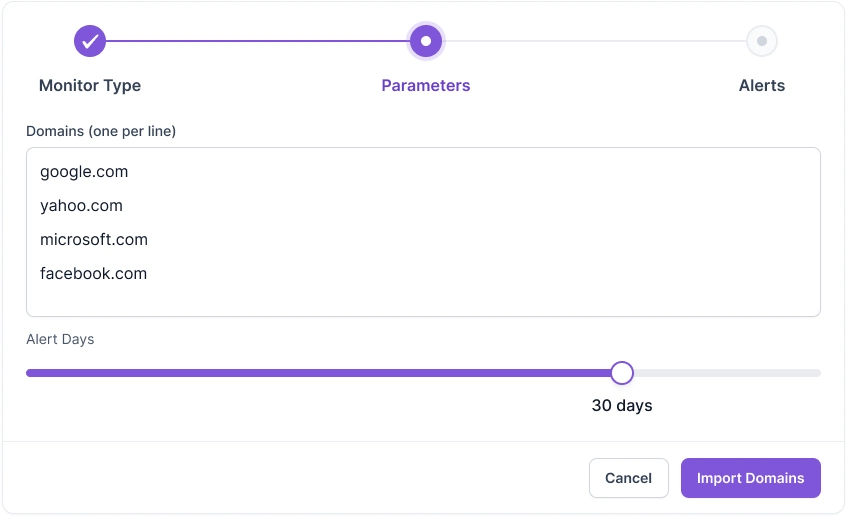
You will love this feature if you are an MSP and need to monitor the expiration of hundreds of domains. While adding a WHOIS monitor you can now provide multiple domain names (one per line). A WHOIS monitor will be created for all of these domain names. You can track the progress of the import.
Names will be automatically generated for these WHOIS monitors.
Tracking the Progress
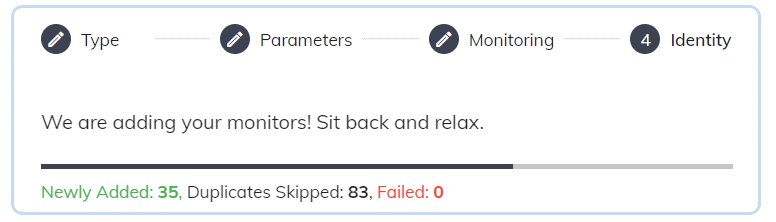
You can track the progress of these imports, see how many domains were successfully imported, skipped and failed.
Resume Import Process
You can stop the import process and restart the process again. Existing WHOIS monitors with the same name (i.e for the same domain) will be skipped to avoid duplicates.
Read more about WHOIS monitors.

Partho Sarathi
Founder, Maxotek